# How to use Oracle
Requirements (Important)
**IMPORTANT ignoring these actions will lead to a ban!!!**
1. **Before starting the cheat, close the Game and the game launcher!**
2. **If you have previously run any cheats, restart your PC! (restart pc before using another cheat)**
3. **Close the software launcher before launching the game!**
4. **If you neglect one of the actions, you can get banned!**
5. **Running the software, you need a flash drive (virtual or physical)**
Loader Setup
**Read the instructions carefully!!**
* [Download Launcher](https://crooked-arms.com/topic/697-download-launcher/)
[](https://crooked-arms.com/topic/697-download-launcher/)
\*\*remove the old software launcher from the PC
* **Download the launcher and put it on a flash drive!!!**
* Launch Launcher **(from a flash drive!)**
* **Register in Launcher**
* Activate key
[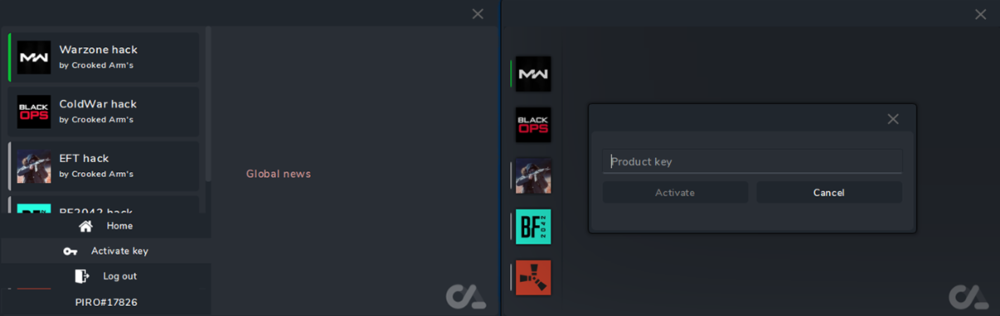](https://crooked-arms.com/uploads/monthly_2021_11/539149238_1.png.da12d80a37f38e733a3523fe7b21d3db.png)
**Launcher Oracle**
1\. **Launch the Launcher (from a flash drive!)**\
2\. Select software your **game of preference** and click **Launch**
3\. In case of successful completion, the **successfully launched** message and the **Launched** button will appear
[](https://crooked-arms.com/uploads/monthly_2024_08/image.png.50f04b633bd434cacb1748a105acfa89.png)
\* If something goes wrong, you will receive an error and the cheat will not be loaded into the system!\
4**. Close Launcher**
**\*\*disconnect the flash drive (make sure it is disconnected!!!)**
5\. Start the game\
6\. The cheat menu opens with the "**HOME**" key\
7\. Enjoy your game.
---
# Agent Instructions: Querying This Documentation
If you need additional information that is not directly available in this page, you can query the documentation dynamically by asking a question.
Perform an HTTP GET request on the current page URL with the `ask` query parameter:
```
GET https://ssz-services.gitbook.io/guides/oracle/oracle/how-to-use-oracle.md?ask=
```
The question should be specific, self-contained, and written in natural language.
The response will contain a direct answer to the question and relevant excerpts and sources from the documentation.
Use this mechanism when the answer is not explicitly present in the current page, you need clarification or additional context, or you want to retrieve related documentation sections.